

A confirmed order can still sit unprocessed because its delivery details are incomplete. An invoice can miss a payment run because the supporting record is missing. Someone has to resolve those gaps while the rest of the business keeps moving.
Back office BPO gives businesses external support for this recurring work. It can help when administration is taking too much time from sales, finance, HR, or operations staff.
Before choosing a provider, consider which tasks to transfer, who will manage them, and how you will assess the results. The service scope, handoff, pricing, and reporting all deserve a closer look.
What Is Back Office BPO?
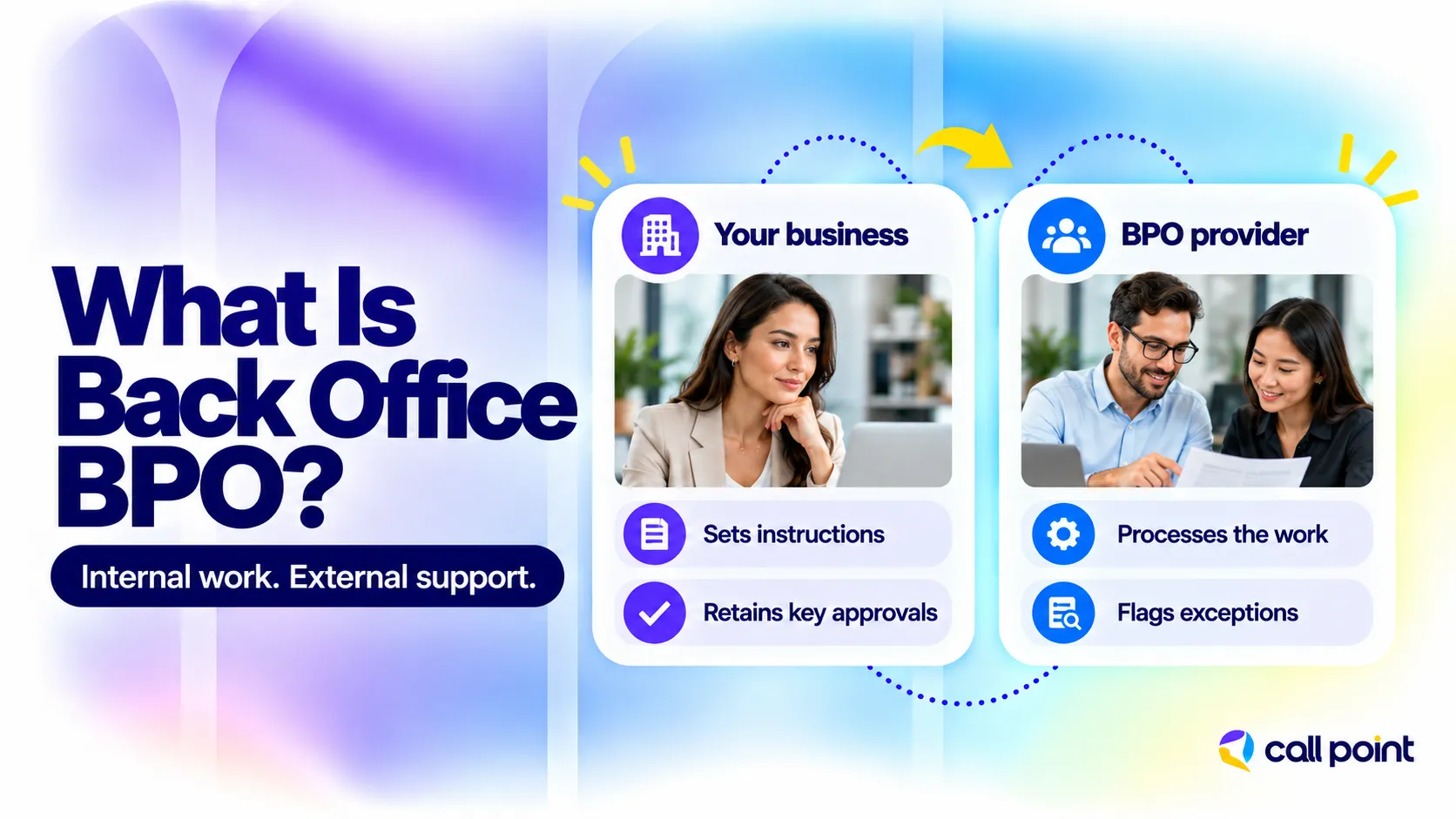
Back office business process outsourcing is a service arrangement in which a third-party company performs internal administrative or operational processes for a client. The client and provider establish the work covered, required output, system access, service standards, and decision authority. A business can outsource a single process, such as invoice entry, or several related workflows.
The distinction between back-office services and back office BPO is how the work is delivered. Back-office services are the functions themselves. BPO means an external company performs them under a service agreement.
For example, a commercial cleaning business could outsource supplier invoice entry and job-record updates. The provider would process the information using the client’s instructions. The cleaning company would retain the payment approvals and business decisions specified in the agreement.
Provider location is a separate consideration. The work can be delivered onshore, nearshore, or offshore. A company’s own overseas department remains an internal operation; its location alone does not make it outsourced.
Back Office BPO vs. Front Office BPO
Front office BPO covers customer-facing activities such as sales calls, customer support, and appointment bookings. Back office BPO covers internal processing that supports those interactions. After a customer places an order, for example, back-office staff can check its details, update records, and prepare information for fulfillment. Some processing still requires customer or supplier contact. The distinction concerns the work’s main purpose, rather than whether a person ever makes a call.
What Services Can You Outsource to a Back Office BPO Provider?
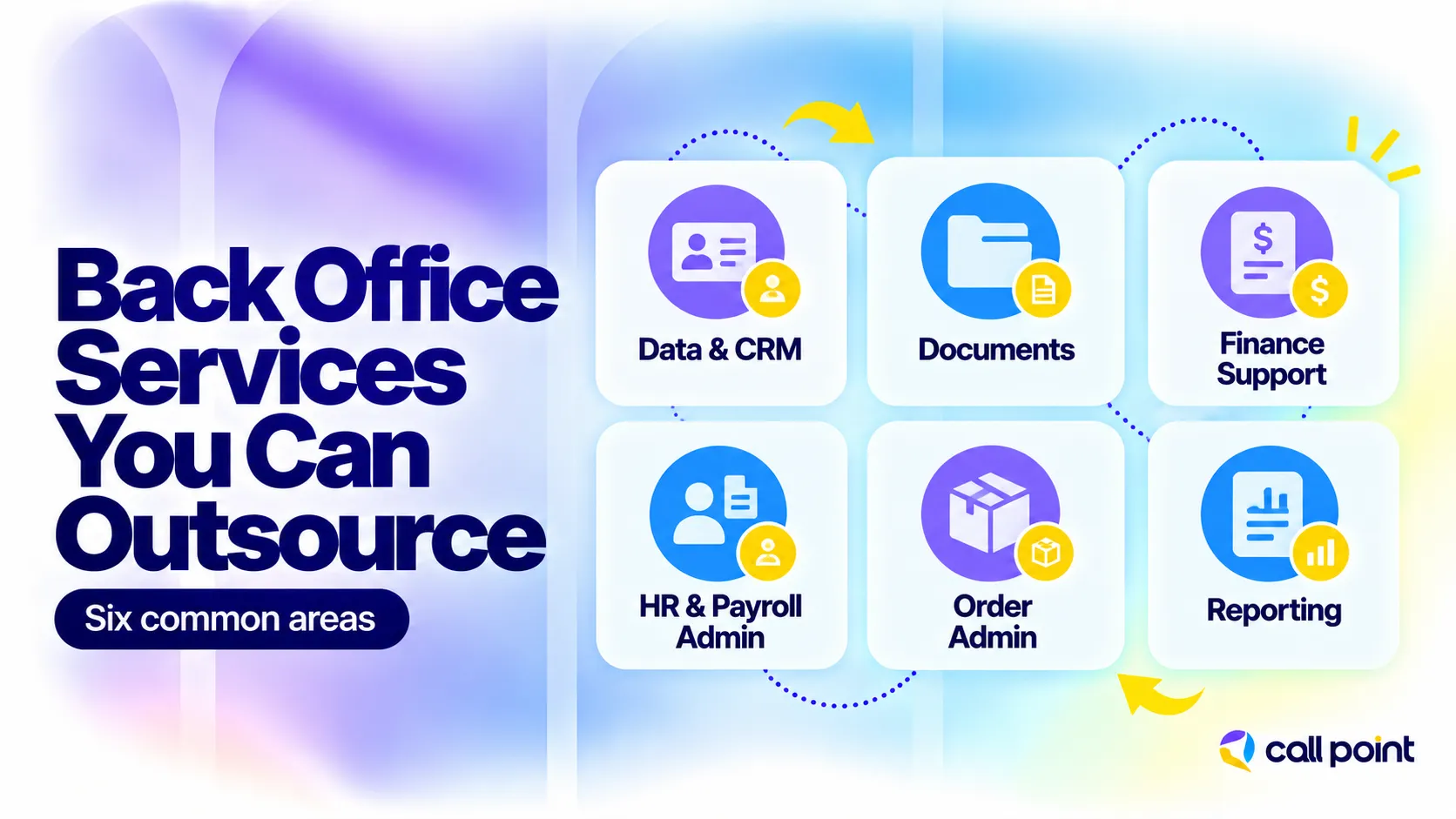
Common back office BPO services include data management, document processing, finance administration, HR support, order administration, and reporting. Providers differ in their capabilities, so confirm the tasks included in each proposal.
| Service area | Typical tasks | Expected output |
| Data and CRM management | Data entry, contact updates, duplicate checks, database maintenance | Updated records with missing or conflicting information flagged |
| Document processing | Document classification, indexing, completeness checks, file organization | Searchable records in the required format |
| Finance and accounting support | Bookkeeping, invoice processing, accounts payable and receivable administration, reconciliation support | Financial records prepared for review |
| HR and payroll administration | Candidate screening, onboarding files, employee records, timesheet and payroll data preparation | Current personnel records and identified gaps |
| Order and product administration | Order entry, product data updates, status tracking, purchase-order records | Validated information ready for the next processing stage |
| Reporting support | Tracker updates, data consolidation, routine report preparation | Reports using the required fields and schedule |
Some providers also offer procurement administration and internal IT support. Specialist work needs its own scope, skills, and access requirements. It should not be assumed to come with a general administrative package.
For finance teams, manual processing remains a substantial consideration. The 2026 Intuit QuickBooks Small Business Late Payments Report found that 74% of surveyed small businesses were not fully automated in managing and paying bills. That does not mean they all need outsourcing. It shows why reviewing manual entry, checking, and approval steps is useful.
Our guide to back-office services explains the functions in more detail. For finance-specific responsibilities, see what outsourced accounting includes.
What Are the Benefits and Limitations of Back Office BPO?
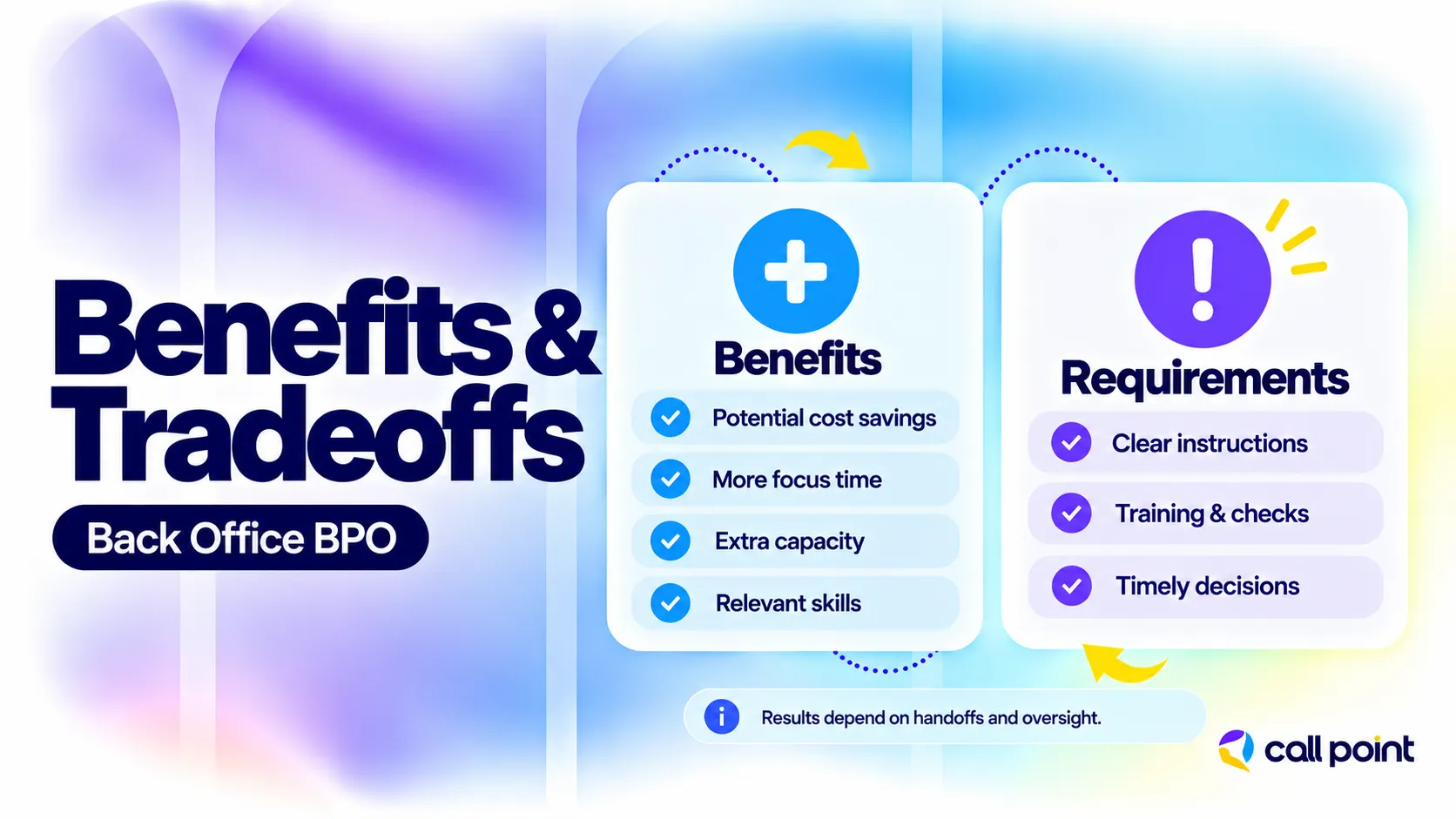
Back office BPO can add processing capacity, free internal employees from routine administration, and support more consistent execution. The benefit depends on matching the service to a real workload problem.
The main advantages include:
- More time for core responsibilities: A sales manager can review opportunities while an external team maintains the supporting CRM records.
- Additional administrative capacity: A recurring document or order queue can receive scheduled attention instead of waiting behind other work.
- Access to relevant skills: A provider with suitable experience can support tasks such as bookkeeping or document validation without the client recruiting each role locally.
- Support during workload peaks: Extra capacity can help with seasonal demand when staffing lead times and contract terms allow it.
- A different cost structure: Service fees replace some internal hiring and operating costs, although training, oversight, and software still affect the total.
The limitations matter too. Poor instructions create repeated questions. Weak source data creates checking work. Changes in staff or systems require training. A provider also needs timely answers when a task falls outside its authority.
A business with frequent unresolved policy decisions should settle those rules before handing over a large volume of work. Outsourcing can supply processing capacity, but the service still needs usable instructions and someone authorized to resolve exceptions.
When Is Back Office BPO a Good Fit?
Back office BPO is worth assessing when recurring work exceeds your team’s capacity and the output can be defined and checked.
Common signs include:
- Orders, invoices, or documents regularly wait for processing.
- Experienced employees spend substantial time on routine record updates.
- A vacancy or absence creates a persistent backlog.
- Seasonal demand puts more work on the same small team.
- The business needs a repeatable process but cannot justify building a complete internal function.
Choose a starting task with a clear input, a clear result, and manageable exceptions. A documented invoice-entry process is easier to transfer than a broad request to “take care of finance.”
Keep strategy, business policies, and sensitive approval decisions with the people authorized to make them. Our in-house vs. outsourcing guide explores the wider staffing tradeoffs.
Who Will Manage Your Outsourced Back Office Work?
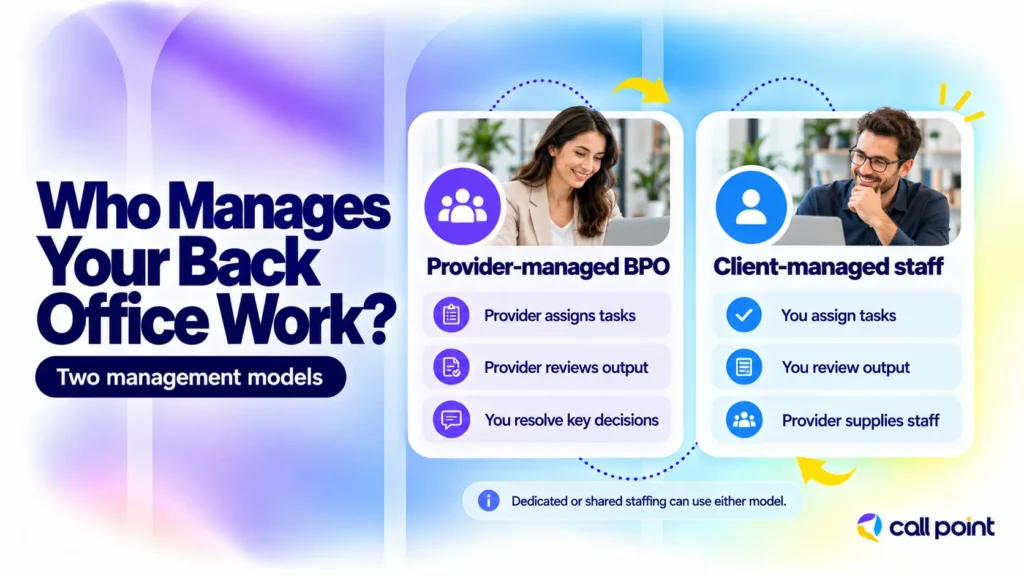
Daily supervision can sit with the provider or with your managers. Establish who assigns tasks, reviews output, answers questions, and arranges backup coverage.
Dedicated and shared staffing describe how people are allocated. A dedicated team works on your account; shared staff support multiple accounts. Either arrangement needs a clear management structure.
Provider-Managed BPO
In provider-managed BPO, the provider supervises a defined process and delivers output against the agreed service requirements. Your business supplies the rules and handles decisions outside the provider’s authority. For document processing, the provider could allocate work, check required fields, and report incomplete files. Your internal contact would resolve questions that require business judgment. The proposal should identify which supervisory and quality-review duties are included.
Client-Managed External Staff
With client-managed external staff, your managers assign and supervise the work while the external company supplies people and the contracted support. This resembles staff augmentation or offshore staffing when your business retains daily process management. It suits teams that have the capacity to direct additional staff and need flexibility over priorities. Include that supervision time when comparing costs with a provider-managed service.
How Do You Move Back Office Work to a Provider?
Start with a limited workflow, document its requirements, and test completed work before expanding. The transition should establish how the two teams will work together.
- Record the starting position: Note the normal workload, backlog, processing time, and recurring errors. This gives you something meaningful to compare later.
- Write the processing instructions: Include source records, required fields, examples of completed work, and actions that need approval. These form your standard operating procedures, or SOPs.
- Set up access and communication: Confirm permissions, service hours, reporting, and named contacts for questions.
- Train with varied examples: Include duplicates, missing information, and unusual requests alongside straightforward tasks.
- Run a pilot: Review a limited batch against the acceptance criteria. Identify whether problems came from incorrect processing, unclear instructions, or incomplete source information.
- Correct the process and expand: Update instructions and resolve access or training gaps before increasing volume.
Suppose an e-commerce business outsources order validation. In this hypothetical arrangement, an incomplete address goes into a pending queue with a reason and an owner. Once the missing information is supplied, the provider updates the record and passes it to fulfillment.
That pending queue is part of the service design. It prevents incomplete work from being counted as finished or disappearing between teams.
How Much Does Back Office BPO Cost?
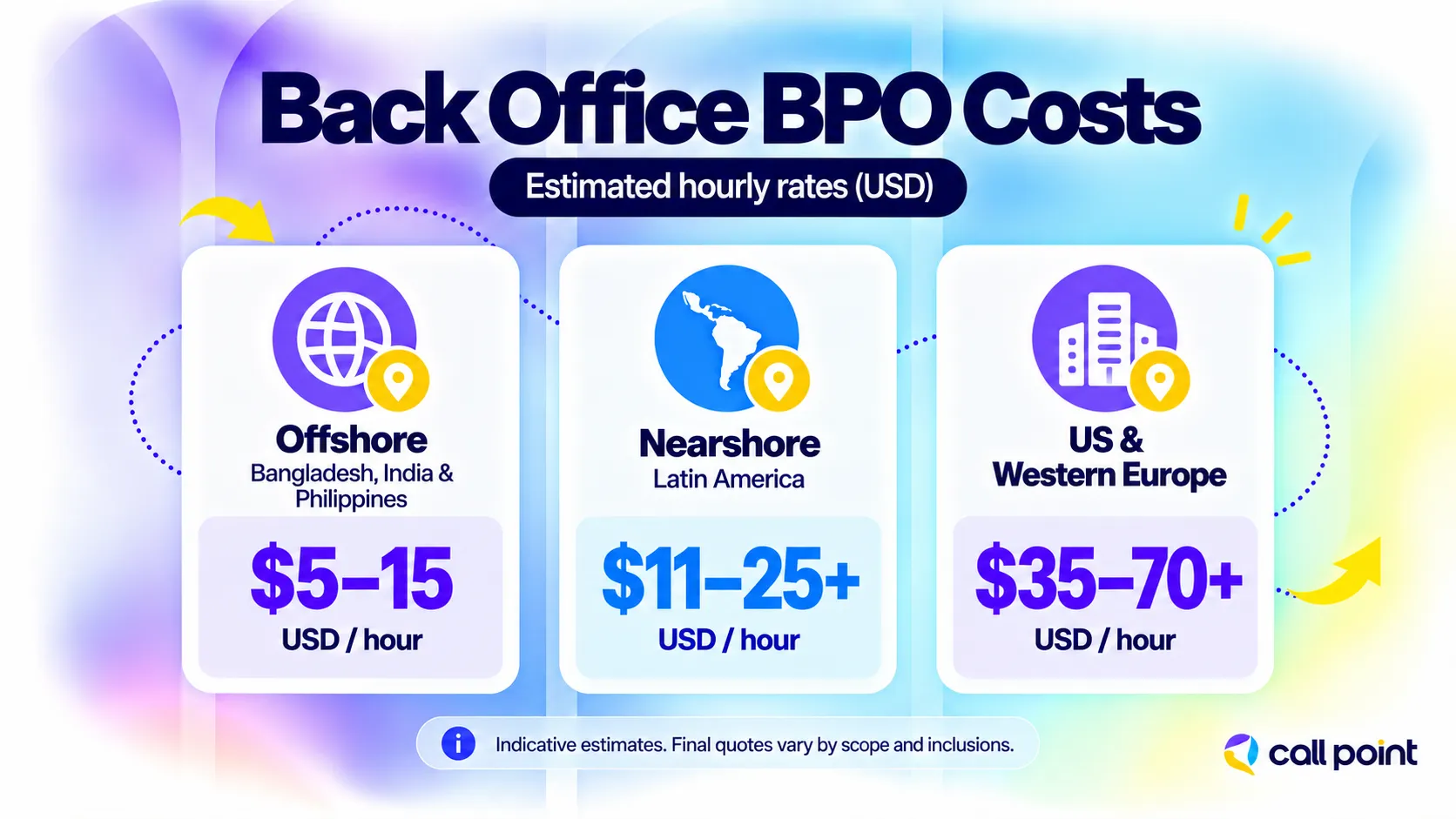
Estimated back office BPO rates range from US 5-15 per hour in lower-cost offshore locations to US 35-60 per hour in the United States. Your quote depends on the tasks, required skills, service hours, and management included.
Hourly Costs by Region
- Bangladesh, India, and the Philippines (Offshore): Approximately US 5-15 for routine back-office support.
- Latin America (Nearshore): Approximately US 11-25+, depending on the country and scope.
- United States / Western Europe (Domestic): $35 – $70+ per hour
Cost by Function
- Routine processing: Basic data entry, document handling, and record updates generally fall toward the lower end of regional pricing. Claims and billing require a quote based on complexity.
- Finance and accounting: Marketplace references list approximately US 25-49 per hour.
- Legal and IT support: Pricing depends on the qualifications, technical requirements, and level of responsibility involved.
Confirm whether onboarding, training, software, supervision, quality checks, and extra workloads are included. Compare the total cost against the same service scope and expected output.
Contact Call Point for a quote based on your workload and support requirements.
How Do You Choose and Monitor a Back Office BPO Provider?
Choose a provider that can demonstrate how it will handle your records, manage questions, and check output. Relevant sample work is more useful than a long list of services.
Ask prospective providers to explain:
- Relevant experience: Have they handled similar tasks and record types?
- Daily management: Who allocates work, reviews it, and covers absences?
- Reporting: Can you see completed work, rejected items, and pending decisions?
- Problem resolution: Who responds when information is missing or a deadline is at risk?
- Commercial terms: What happens when volumes, priorities, or instructions change?
- Continuity and exit: How are backup staff trained, and how will records and unfinished work be handed back?
A sample report should help you locate a problem and decide what to do next.
Measure Completion, Accuracy, and Pending Work
Track turnaround time, work accepted without correction, rework, and the age of unfinished items. In an illustrative batch of 200 records, 190 accepted without correction gives a first-pass acceptance rate of 95%. The remaining ten need a reason: a processing error, missing source information, or a client approval. Those causes require different responses. Define when processing time starts and how waiting for client input is recorded.
Check Data Access and Approval Controls
Limit access to the tasks being performed. Establish who can view sensitive records, edit important fields, and authorize transactions. Use named accounts and activity logs where the system supports them. Confirm approved software, record retention, and access removal when staff leave the account. If a provider claims a certification, check its validity and scope. The agreed controls should match the information and decisions involved.
How Call Point Supports Back Office BPO
Call Point Business Solutions provides back-office outsourcing services covering data entry, document processing, CRM updates, order processing, report preparation, database maintenance, administrative support, and workflow coordination.
The discussion starts with the tasks creating pressure on your team. Your systems, approximate volumes, required working hours, and expected output help define a suitable scope.
For example, you could discuss support for CRM updates after sales calls. The task description would specify the source of each update, required fields, and changes needing internal approval. The proposal should establish who checks the records and how incomplete information is returned for clarification.
Share the recurring work you need help handling. Contact Call Point to discuss your requirements and request a quote.
Frequently Asked Questions
Is Back Office BPO the Same as Non-Voice BPO?
Back office BPO describes a business function, while non-voice BPO describes work performed without voice calls. Customer-facing email and live chat are non-voice activities, but they usually belong to front-office support. Back-office processing can also involve occasional calls to clarify information. Look at the task’s main purpose when deciding which category it belongs to.
What Is the Difference Between a Virtual Assistant and Back Office BPO?
A virtual assistant is a remote support role. Back office BPO is an arrangement for outsourcing internal processes. A virtual assistant can work through a BPO company, so the categories can overlap. Compare the actual tasks, supervision, backup coverage, and reporting rather than assuming that the title establishes the service structure.
Can Back Office BPO Work Alongside Automation?
Back office BPO can combine software with human processing and review. Software can capture document fields, check entries against rules, or route work to the right queue. People can review unclear information and handle exceptions. Before using a tool, confirm that it is approved for the data involved and establish which actions require human review or authorization.
Final Thoughts
Choose one recurring process that is delaying work or taking too much time from experienced staff. Establish its scope, cost, and acceptance criteria, then review a limited pilot. The results will give you a practical basis for deciding whether to expand your back-office support.