


If routine emails, scheduling changes, and CRM updates keep pushing customer work into the evening, it may be time to hire help. The challenge is finding someone who can take responsibility for those tasks without needing you to check every step.
A virtual assistant or VA is a remote professional who handles agreed administrative or recurring tasks. You can hire independently or work with a provider that helps with recruitment and ongoing management.
To hire a virtual assistant, define the work, choose a hiring model, compare costs, assess candidates, agree on a paid assessment where available, and onboard with clear expectations. Then review work quality and adjust the process as needed.
1. Decide What Your Virtual Assistant Will Handle
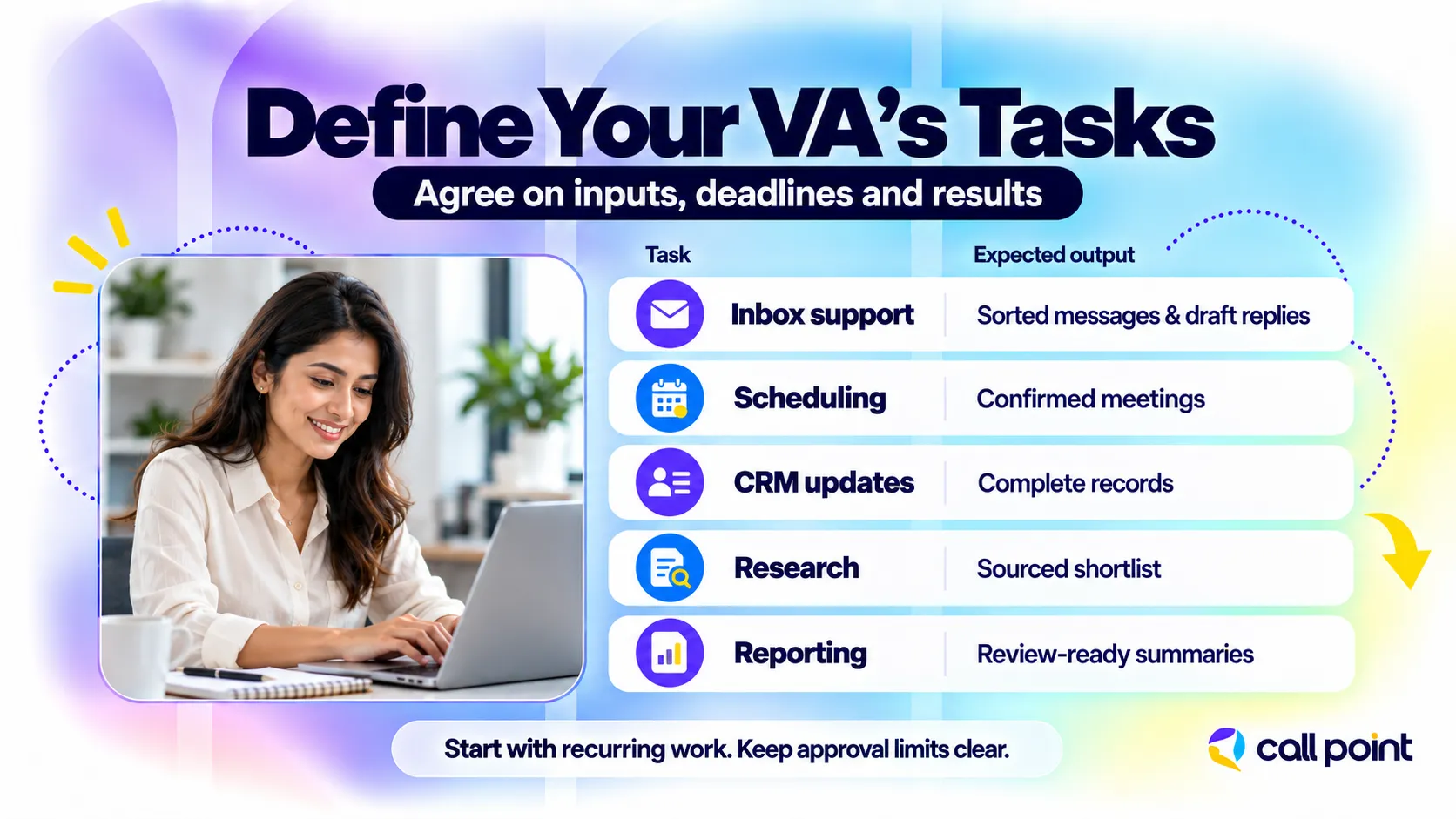
Start with recurring tasks that have clear inputs, deadlines, and results. Review a typical week and record what takes your time, how often it occurs, and which decisions need your approval.
Inbox management, for example, can involve sorting enquiries, drafting routine replies, and escalating complaints. Each activity needs different instructions. “Handle my email” does not explain which messages the assistant can answer or what they can promise a customer.
Use a short task table to define the role:
| Task | Instructions needed | Expected result |
| Inbox management | Message categories, reply templates, escalation rules | Routine enquiries handled within agreed times; sensitive messages flagged |
| Calendar coordination | Working hours, meeting lengths, availability rules | Meetings scheduled without avoidable conflicts |
| CRM updates | Required fields, data sources, duplicate-handling rules | Complete records with missing information identified |
| Supplier research | Location, service requirements, comparison criteria | A shortlist with sources and relevant details |
| Weekly reporting | Data sources, reporting template, submission day | An accurate report ready for review |
Estimate the weekly workload before deciding whether you need occasional, part-time, or full-time assistance. Include busy periods and tasks that require someone to be available at specific times.
Separate General Administration From Specialist Work
An administrative virtual assistant may handle scheduling, document formatting, straightforward research, and routine data entry. Work involving bookkeeping, CRM automation, or detailed technical support requires relevant experience.
The distinction can exist within the same tool. Updating contact details in a CRM is different from designing its sales workflows or changing user permissions.
Group related responsibilities into a realistic role. If your workload spans several connected administrative processes, broader back-office outsourcing services may also be worth discussing.
2. Choose Where and How to Hire a Virtual Assistant

Choose a hiring route based on the work and the recruitment and management time you can provide. The main options are freelance marketplaces, direct recruitment or referrals, and managed virtual assistant providers.
| Hiring route | Sourcing | Supervision | Billing | Absence coverage |
| Freelance marketplace | Compare profiles, proposals, and candidates through a platform | Usually agreed directly with the freelancer | Hourly or project fees, plus applicable platform charges | Confirm with the freelancer; an alternative may require another search |
| Direct recruitment or referral | Find candidates through your network, referrals, or recruitment channels | Arranged by your business | Agreed directly under the engagement terms | Your business arranges coverage unless otherwise agreed |
| Managed VA provider | Provider screens or matches assistants to your requirements | Shared or provider-managed within the agreed scope | Provider invoice or service package | May include cover or replacement under stated conditions |
A referral is a useful introduction, but the candidate still needs to be assessed against your requirements. Similarly, a provider’s involvement does not automatically mean it manages every part of the relationship.
Freelancer or Managed Virtual Assistant Provider?
A freelancer may suit a clearly scoped assignment, such as organising a contact database, when you can explain the task and review the result yourself. Direct selection can also help when you need a particular specialist skill. The trade-off is the time you spend finding, assessing, and managing the person.
A managed provider can be useful for recurring work that needs coordination, quality checks, and a contact for service problems. The trade-offs may include minimum commitments and paying for support beyond the assistant’s working hours.
Ask who handles recruitment, business-specific training, work reviews, coaching, and replacement requests. Some agencies mainly place candidates; others provide ongoing management.
Location is a separate decision. You can hire an offshore virtual assistant independently or through a provider. Compare the working-hour overlap and communication arrangements as well as location. Our guide to outsourcing vs. offshoring explains the difference.
3. Set a Budget and Write a Clear Job Description
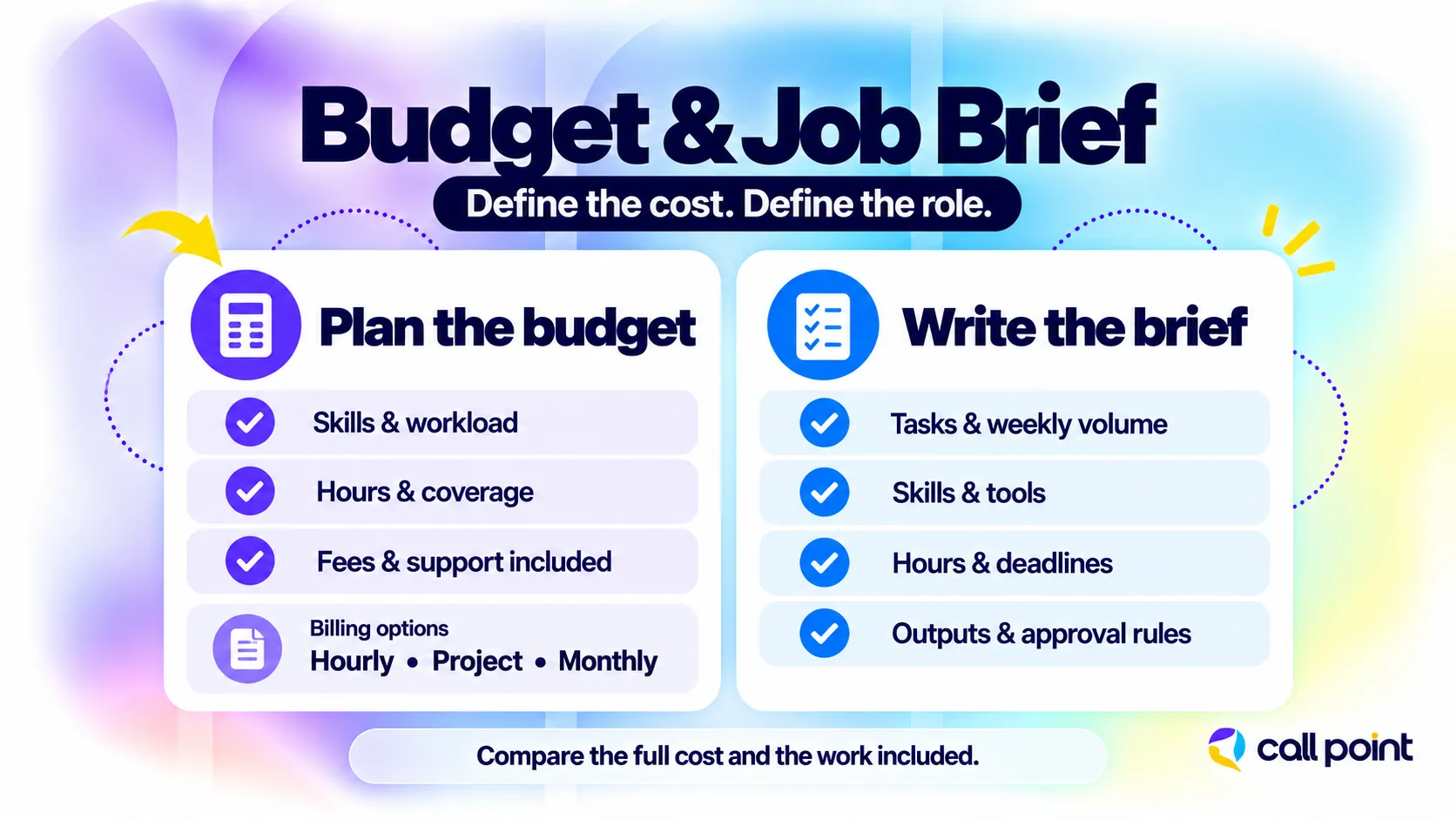
Build your budget around the work, required skills, and support included. A rate is difficult to judge until you know what the assistant or provider is responsible for delivering.
Virtual assistant pricing commonly follows these arrangements:
- Hourly: You pay for recorded time, subject to agreed limits and billing rules.
- Project-based: You pay for a defined output, with revisions and scope changes agreed in advance.
- Monthly: You pay for a package of hours, dedicated capacity, or an agreed service scope.
Experience, specialisation, location, working hours, and management support can all affect the quote.
For context, the following published examples were checked in October 2026. All figures are in US dollars and describe specific offerings, rather than a universal market rate.
| Hiring option | Pricing range | What to consider |
| Freelance VA on Upwork | Headline range of $10-$20 per hour | Individual rates vary; specialist work may cost more |
| Dedicated US assistant through Time etc | $36-$39 per hour across listed 10–60-hour monthly plans | Packaged service with specific inclusions and conditions |
| Call Point virtual assistant services | Custom quotation | Quote depends on the skills, hours, workload, systems, and support required |
Compare the complete cost. Upwork’s Basic plan, for example, applies a Client Marketplace Fee of up to 7.99% to freelancer payments. Software licences, onboarding time, minimum commitments, and additional-work charges may also affect your budget.
For agency quotes, confirm whether supervision, reporting, training, and absence cover are included. Your own time spent assigning and correcting work also belongs in the comparison, even if it never appears on an invoice.
What to Include in the Job Description
A useful job description or provider brief should include:
- The tasks and their expected weekly volume.
- Required experience and tools.
- Working hours and time-zone overlap.
- Deadlines, reporting arrangements, and the main contact.
- Examples of acceptable work.
- Decisions the assistant can make and those requiring approval.
For example:
Maintain CRM records after sales calls, check required fields, and send the sales manager a weekly list of incomplete records. Experience with our CRM or a comparable system is required.
That gives candidates and providers something specific to respond to.
4. Screen Candidates for the Work You Actually Need
Assess candidates against the responsibilities in your brief. Relevant examples of previous work are more useful than a long list of software names.
Review samples where available and ask what the candidate personally handled. For research work, check whether their examples include sources. For customer communication, look for clear writing, appropriate tone, and recognition of issues that need escalation.
Use practical interview questions:
- “How would you handle a scheduling conflict between two important meetings?”
- “What would you do if an instruction was unclear?”
- “How would you check a CRM update before marking it complete?”
- “What would you do if a customer requested something outside our policy?”
Compare candidates using the same criteria: accuracy, judgement, communication, tool knowledge, and availability. Check references where available, particularly for similar responsibilities.
When hiring through a provider, ask how it assessed these skills and whether you can meet the proposed assistant. Screening by the provider should connect to your role requirements.
5. Run a Small Paid Trial Before Committing
Use a paid trial to see how the candidate handles representative work. Agree on the task, payment, deadline, and assessment criteria before it begins.
For an inbox role, provide a fictional inbox containing routine enquiries, a scheduling request, an unclear message, and a complaint. Ask the candidate to organise the messages, draft replies, and flag anything requiring approval.
Review whether the assistant:
- Follows the instructions accurately.
- Asks useful questions when information is missing.
- Writes clear, appropriate replies.
- Recognises decisions outside the role’s authority.
- Completes the task within the agreed time.
Speed matters, but a fast reply that makes an unauthorised promise creates more work later.
Use fictional or anonymised information during assessment. If a provider offers an initial evaluation period instead of a standalone task, confirm its charges, review process, and cancellation or replacement conditions. A trial does not automatically remove a contractual commitment.
6. Agree on Terms and Onboard Your Virtual Assistant
Confirm the working arrangement before granting access or assigning live tasks. Clear terms and practical onboarding give the assistant a reliable starting point.
Confirm Scope and Responsibilities
Outline deliverables, payment, working hours, confidentiality, and ownership of work. Clarify who handles priorities, exceptions, and performance issues. For providers, discuss handling absences and service escalations, along with any associated charges and handover information. Agree on the process for adding new responsibilities to prevent unrelated tasks from being assigned without prior discussion.
Share Instructions and Access
Provide task checklists, examples, and a contact person. A brief screen recording can aid understanding, but written approval guidelines should be easily accessible. For instance, a scheduling checklist might include details about meeting lengths and time-zone checks. Allocate individual accounts and restrict permissions to necessary responsibilities, documenting approved access and removing it upon engagement termination. Start with a defined task group, review completed work together, address misunderstandings, and gradually expand the workload as reliability improves.
7. Track Results and Improve the Working Process
Measure the quality and reliability of the work you delegated. Hours logged show activity; they do not explain whether records are accurate or deadlines are being met.
Choose a few measures that match the role:
| Work area | Useful measure | What it helps you assess |
| CRM administration | Inaccurate records or missing required fields | Data quality |
| Calendar management | Preventable conflicts and missed confirmations | Scheduling reliability |
| Recurring tasks | Work completed by the agreed deadline | Consistency |
| Inbox support | Correct replies and appropriate escalation | Communication quality |
| General administration | Work returned for correction | Rework and instruction gaps |
Agree on an initial review schedule. For example, you might review completed work briefly each day during the first week, then move to a weekly discussion as the workflow settles. This is a possible arrangement, not a required timetable.
When an error repeats, check the cause before adding more supervision. The assistant may need coaching, but the instructions, source information, or priorities may also be unclear. Include your own workload in the review. If checking the output takes as long as completing the task yourself, revisit the role, training, or working arrangement.
Common Mistakes When Hiring a Virtual Assistant
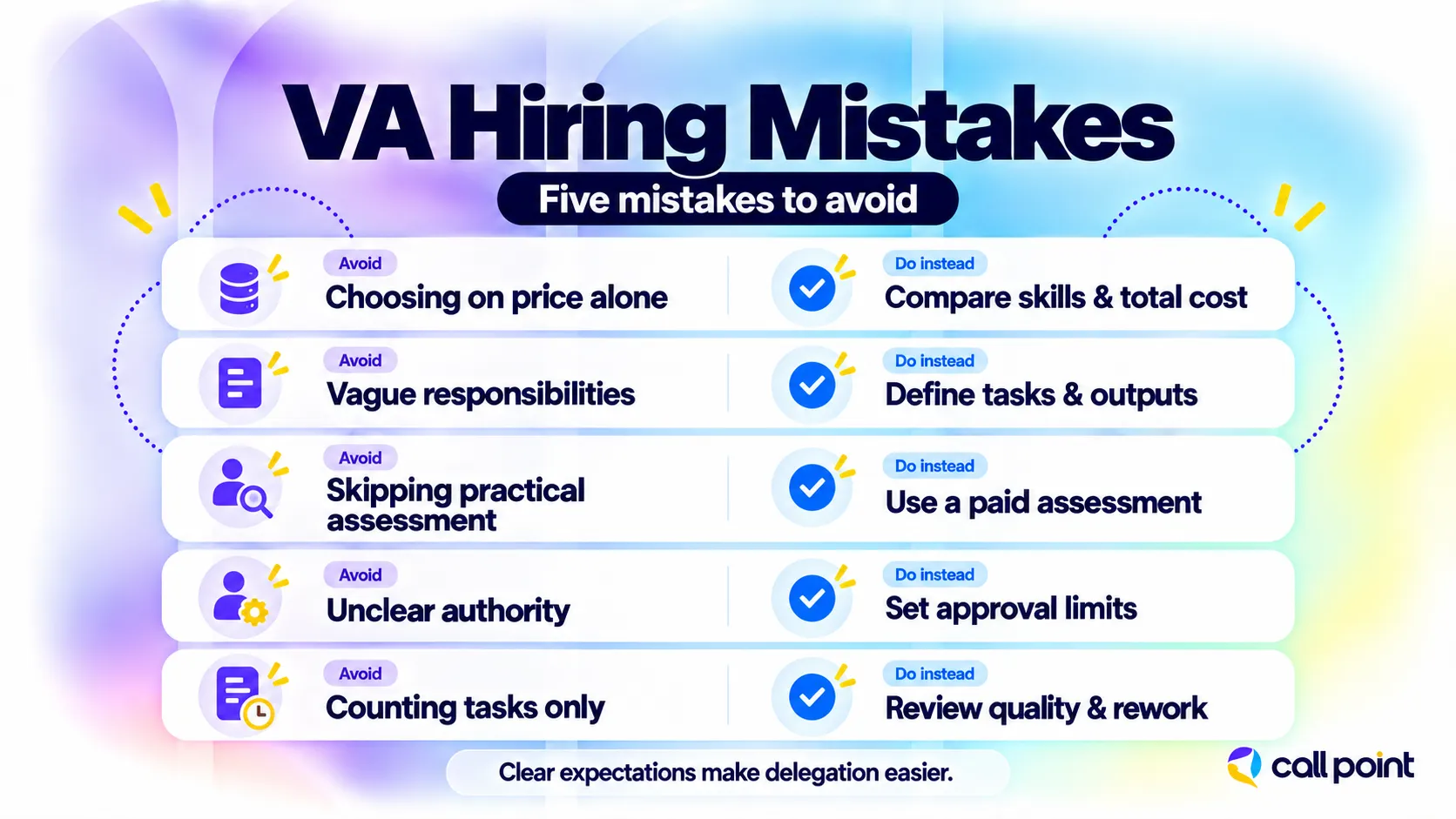
Choosing on price alone: A low rate provides little value if the work requires frequent correction. Compare relevant skills and service inclusions alongside cost.
Assigning vague or unrelated responsibilities: An assistant cannot prioritise a role that keeps changing. Define the core work and discuss additions before assigning them.
Skipping practical assessment: Interviews show how someone explains their experience. A paid task helps you assess how they apply it.
Leaving approval boundaries unclear: Unclear authority can lead to avoidable customer promises, spending, or system changes. Write down the decisions that need approval.
Counting tasks without checking quality: Completed work can still contain errors. Review a suitable sample and track rework as well as volume.
How Call Point Supports Virtual Assistant Hiring
Call Point Business Solutions provides virtual assistant support through its operational team in Dhaka, Bangladesh. Our services include inbox management, scheduling, CRM updates, research, and administrative assistance.
We assess the tasks, skills, hours, and tools before defining the workflow and selecting suitable support. Our delivery approach includes process training, approved system access, performance review, and client feedback. Management arrangements can include task reviews, KPI tracking, supervisor checks, reporting, and coaching, according to the agreed service scope.
For example, a service business could assign appointment confirmations and CRM updates to a VA while keeping pricing decisions with its manager. A weekly report could highlight missing information and work awaiting approval.
Frequently Asked Questions
Can I hire a virtual assistant for only a few hours a week?
Yes, some freelancers and providers offer arrangements for limited weekly hours. Check minimum bookings, billing increments, and availability. A few hours spent completing tasks differs from monitoring an inbox throughout the day, so explain whether you need a specific output or continuing coverage during agreed hours.
Does my virtual assistant need to work in my time zone?
Your assistant needs the working-hour overlap required by the role, regardless of location. Live scheduling and customer communication may need shared hours. Research or document preparation may allow more flexibility. Specify deadlines, response expectations, holidays, and daylight-saving changes where relevant before agreeing on the schedule.
Can a virtual assistant work with undocumented processes?
Yes, but allow time to explain and document the process before expecting independent delivery. Start with a demonstration, review a completed example, and record the steps and approval points. Ask the provider whether documentation support is included, and identify who in your business will confirm that the instructions are correct.
What happens if my virtual assistant is unavailable?
The response depends on your agreement. An independent assistant may provide notice and a handover, while a managed provider may offer backup or replacement support. Confirm which tasks will continue, who will cover them, what access is permitted, and whether additional charges apply. Do this before an absence affects delivery.
Your Next Step: Prepare a Clear Task Brief
Before you compare candidates or request quotes, list your priority tasks, expected workload, required tools, and working hours. Add examples of acceptable work and identify the decisions that should remain with your team.
That brief helps you assess suitability, compare proposals, and explain the role during onboarding. It also gives you a practical basis for reviewing results after work begins.
Ready to move recurring work off your desk? Discuss your virtual assistant requirements with Call Point Business Solutions and request a proposal based on your tasks and service needs.