

A business may look calm from the outside but the team behind it can be very busy. One person is fixing customer records. Another is chasing missing documents. Finance is waiting for invoice details, and someone still has to update the weekly report before the day ends.
That is the kind of work that usually sits in the back office. It includes the internal tasks that keep records, orders, documents, payments, employee information, and business systems up to date. Customers may never see most of it, but other teams rely on it every day.
As the workload grows, these routine jobs can start taking time away from sales, finance, HR, and operations staff. Some companies keep everything in-house. Others outsource selected back-office tasks so their internal team can stay focused on the work that needs their direct attention.
What Are Back Office Services?

Back-office services are the day-to-day internal tasks that keep a company running smoothly behind the scenes. Even though back-office teams rarely talk directly to customers, their work supports almost everything customers see and experience.
Think about what happens right after a sale goes through: someone needs to process the order, update the CRM, check compliance documents, log the payment, and share updates across departments.
All of those crucial follow-up steps are core back-office operations.
Depending on your industry, the specific workload can look quite different. One company might spend most of its back-office time on invoicing, payroll, and HR, while another spends it managing inventory, checking documents, or building analytics reports.
Working in the back office doesn’t mean you’re completely cut off from clients, either. Operations staff often contact customers to clarify order details, and sales reps regularly update administrative records after client calls.
At the end of the day, the real difference comes down to focus: front-office roles drive customer relationships, while back-office roles keep the business systems, records, and workflows on track.
What Tasks Are Included in Back Office Services?
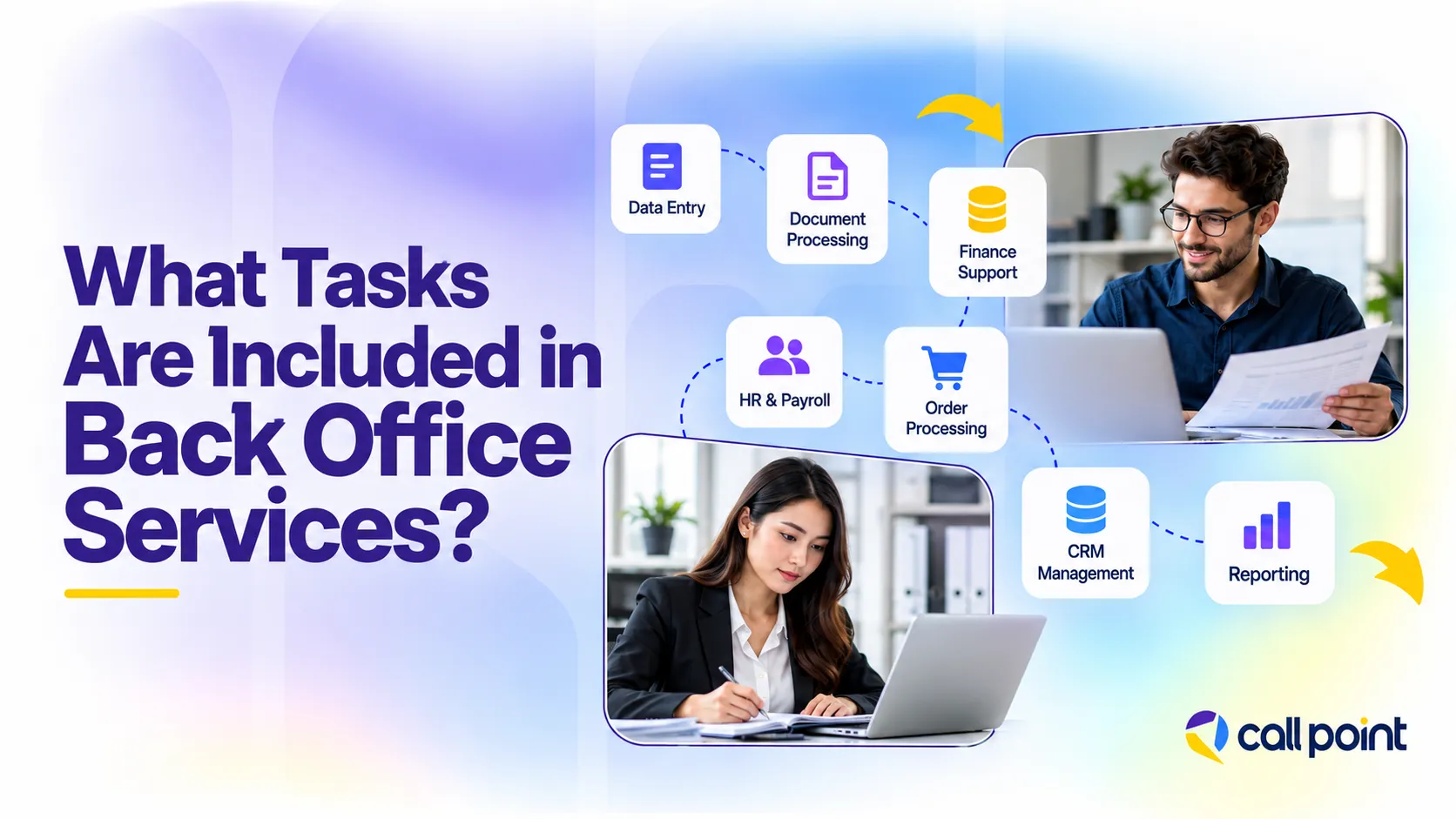
Back office work covers the routine jobs that keep records, documents, orders, payments, and internal systems in order. The exact mix changes from one business to another, but the work usually follows a clear process and supports teams such as sales, finance, HR, and operations.
Data Entry and Data Management
This work includes entering new records, correcting old information, checking missing fields, removing duplicates, and keeping spreadsheets or databases accurate. Sales teams rely on clean customer data. Finance teams rely on correct supplier and transaction records. Poor data creates extra checking later.
Document Processing and Records Management
Businesses handle invoices, forms, contracts, employee files, and other records every day. Back office staff sort documents, check details, file them properly, update records, and keep information easy to find when another team needs it.
Accounting and Finance Support
Finance support includes invoice entry, bookkeeping tasks, accounts payable and receivable work, expense records, reconciliation support, and financial data entry. The back office prepares the information, while accountants, finance managers, or authorised staff handle review and approval.
HR and Payroll Administration
HR support covers employee records, onboarding files, timesheets, leave records, payroll data, and candidate information. The work keeps employee information current and gives HR teams the records they need for payroll, onboarding, and staff administration.
Order Processing and Administrative Support
Order processing starts with checking the details. The team enters the order, updates the system, prepares documents, records the status, and flags missing or incorrect information. Administrative support also covers scheduling, file preparation, and routine internal coordination.
CRM and Database Management
CRM work includes adding contacts, updating lead details, changing opportunity stages, removing duplicate records, and keeping follow-up dates current. This gives sales and account teams a cleaner record of what happened and what needs attention next.
Reporting and Operational Support
Back office teams collect data, update trackers, prepare regular reports, record completed work, and keep status information current. Managers then use that information to review activity, spot gaps, and decide what needs attention.
What Are Examples of Back Office Work?
Back office work is easiest to understand when you look at what happens after the visible part of a business process.
Sales and CRM Updates
A sales representative finishes a call with a prospect and moves on to the next conversation. Someone still needs to update the CRM, record the call outcome, correct contact details, change the opportunity stage, and set the next follow-up date. That record then gives the sales team a clear view of what happened and what comes next.
Invoice Processing
A supplier sends an invoice to the finance team. The invoice details are entered into the accounting system, checked against the supplier record, matched with the right documents, and sent to the correct person for approval. The back office handles the processing, while finance staff deal with exceptions, review, and payment decisions.
Order Processing
An e-commerce order comes in with missing or incorrect delivery information. Back office staff check the order, correct the record, update the system, prepare the required documents, and pass the completed information to fulfilment. If something does not match the process, it is flagged before the order moves forward.
Back Office vs Front Office: What Is the Difference?
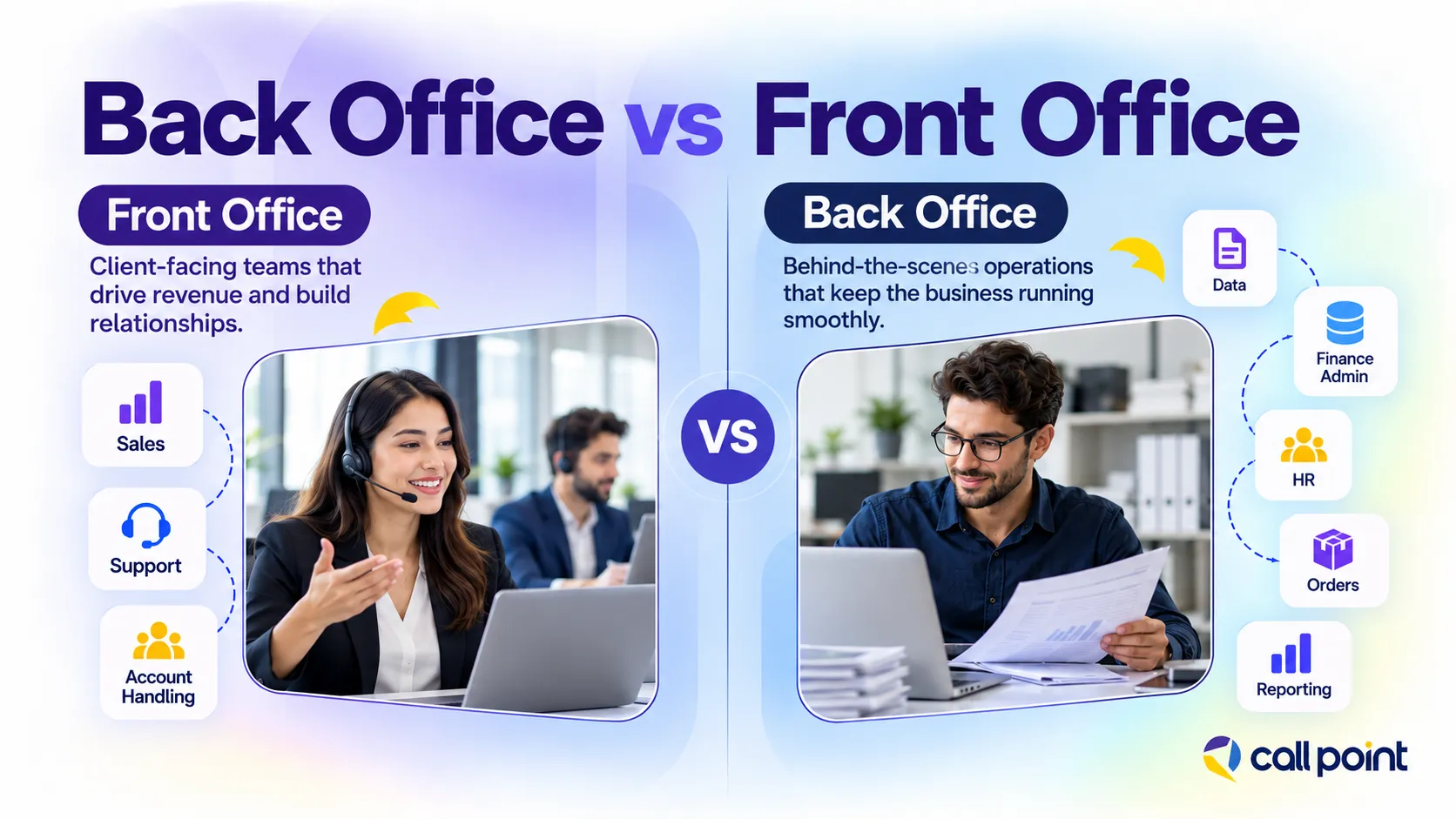
Front office work deals directly with customers, prospects, and the market. Sales calls, customer support, account management, reception, and other client-facing work sit on this side of the business.
Back office work sits behind those interactions. It covers the records, systems, documents, and internal processes that help front-office teams do their jobs. A salesperson speaks with the prospect. The back office updates the CRM, checks the order details, prepares documents, or records the next action.
| Area | Front Office | Back Office |
| Main focus | Customers and prospects | Internal operations |
| Typical work | Sales, support, account handling | Data, finance admin, HR, orders, reporting |
| Customer contact | Direct and regular | Limited or indirect |
| Common systems | CRM, phone, chat, email | CRM, ERP, accounting, HR, databases |
| Main purpose | Generate revenue and manage relationships | Keep information and processes in order |
Benefits of Back Office Support
The biggest benefit is usually not one dramatic change. It is getting dozens of small, repetitive jobs off the desks of people who should be doing something else. A sales manager should not spend an afternoon cleaning CRM records. A finance manager should not be manually entering every invoice.
- Less admin for core staff: Sales, finance, HR, and operations teams spend less time on repetitive tasks.
- Lower in-house hiring costs: Businesses avoid some of the recruitment, onboarding, salary, equipment, and office costs tied to adding more internal staff.
- Cleaner business data: CRM records, order details, employee files, and databases stay more accurate and easier to use.
- Faster routine processing: Invoices, documents, orders, and updates move through the workflow without sitting behind other priorities.
- More capacity during busy periods: Extra support helps the team handle higher workloads without putting every new task on existing staff.
- Better process consistency: Repeated tasks follow the same steps, making work easier to track, check, and manage.
How Does the Back Office Process Work?
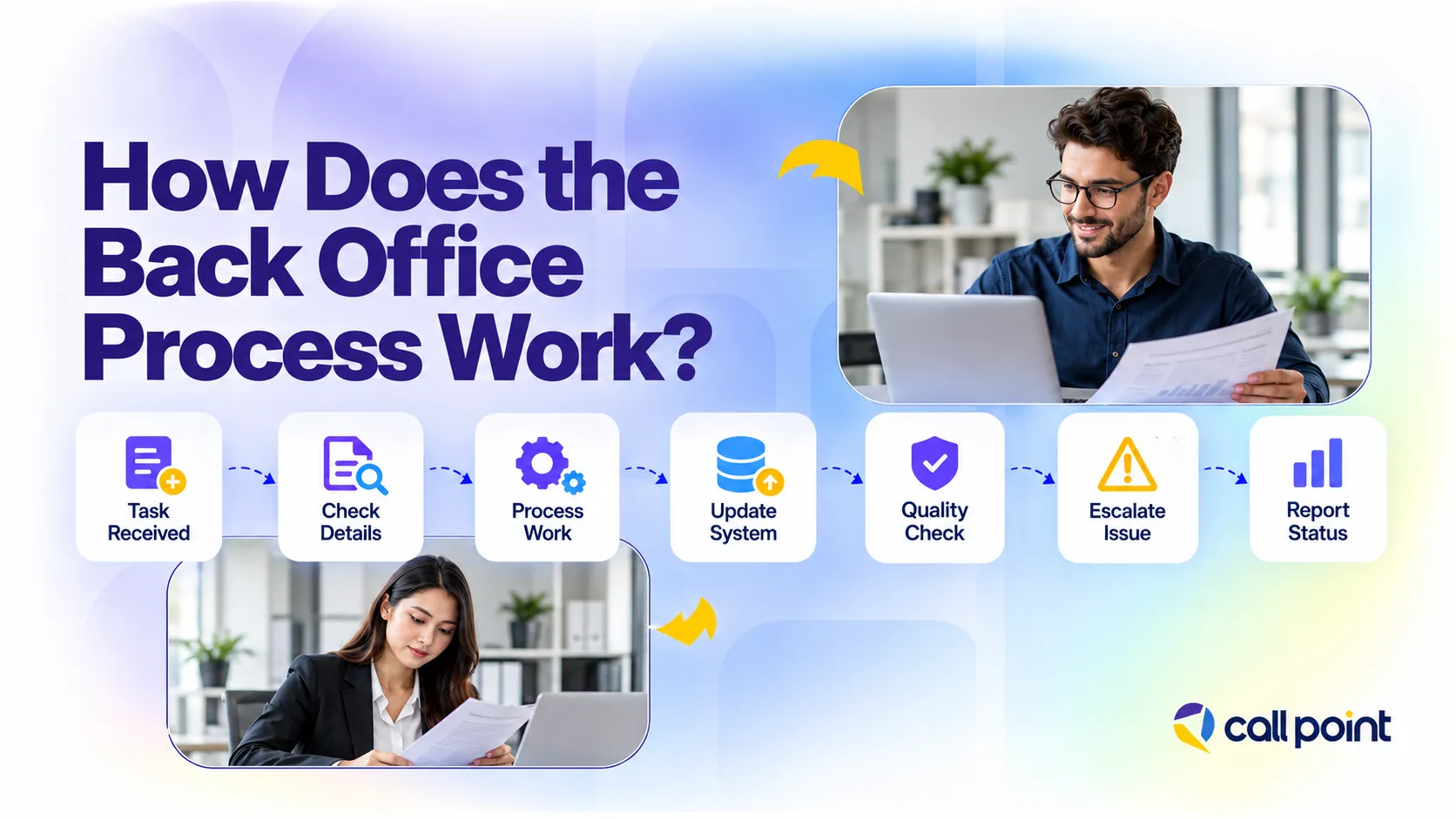
Back office work usually follows a clear path. A task comes in, the details are checked, the work is completed, and the record is updated before it moves to the next person or team.
A simple process looks like this:
- Task received: The team gets an invoice, order, document, data request, or system update.
- Information checked: Required details are reviewed and missing or incorrect information is flagged.
- Work completed: The task is processed based on the company’s instructions and workflow.
- System updated: CRM, accounting software, HR records, databases, or internal trackers are updated.
- Quality checked: Completed work is reviewed where needed before it moves forward.
- Issue escalated: Anything outside the normal process is passed to the right manager or department.
- Status reported: The final record, task status, or report is shared with the team that needs it.
Outsource Your Back-Office Support with Call Point
As routine work grows, it starts taking time away from the people who should be focused on sales, customers, finance, or operations. Call Point Business Solutions provides back-office support for tasks such as data entry, document processing, CRM updates, order processing, report preparation, database maintenance, administrative support, and workflow coordination.
You do not have to rebuild your process just to outsource part of it. Call Point can work inside an existing workflow, whether the job involves CRM updates, document processing, order administration, reporting, or routine data work. Access can be limited by role, while supervisors review tasks, track KPIs, report performance, and address errors when they appear.
This helps businesses move repetitive back-office tasks away from busy internal teams while keeping control of the work.
Frequently Asked Questions
What Is Back Office Outsourcing?
Back office outsourcing means giving selected internal tasks to an outside team instead of handling all of them in-house. The work usually covers areas such as data entry, document processing, bookkeeping support, payroll administration, CRM updates, order processing, and reporting. The business still owns the process and decisions, while the provider handles agreed tasks.
When Should You Consider Outsourcing Back Office Work?
A good time to consider outsourcing is when routine work stops being routine and starts becoming a backlog. Common signs include growing admin backlogs, delayed data updates, higher transaction volumes, repetitive work sitting with senior employees, or difficulty hiring enough support staff. Tasks that follow clear rules and repeat often are usually easier to hand over than work that depends heavily on judgment or strategy.
Why Do Businesses Outsource Back Office Services?
Businesses outsource back office work to add capacity, reduce pressure on internal teams, access specific skills, and handle recurring work without building every function in-house. A finance manager, for example, should not spend most of the day entering invoice data if that work fits a defined process. Outsourcing gives internal staff more room to focus on review, decisions, customers, and other work that needs their experience.
How Do You Choose a Back Office Services Provider?
Start with the process you need help with, then check whether the provider understands that work. Look at experience, staff training, data access, quality checks, reporting, communication, escalation procedures, technology compatibility, pricing, and contract terms. Ask who manages the team, how errors are handled, and what happens when workload changes. A clear operating process matters more than a long service list.
How Much Does Back Office Support Cost?
Back office support does not have one standard price. Cost changes with the type of work, team size, skill level, working hours, task volume, location, software requirements, and level of management needed. Providers also use different models, including hourly, fixed-price, monthly staffing, and transaction-based pricing. Clutch’s 2026 pricing data reports average back-office outsourcing rates on its platform at under $25 per hour, but that figure should be treated as a marketplace reference rather than a quote for every service or location.
Final Thoughts
Back office work rarely gets much attention, but it touches almost every part of a business. Sales relies on clean CRM data. Finance needs accurate records. HR depends on organised employee information. Orders and documents still need to move through the right steps.
The real question is not whether back office work matters. It is whether the right people are spending time on it. When routine tasks start pulling skilled staff away from customers, decisions, or core operations, it is worth reviewing which processes should stay in-house and which ones could be handed to a dedicated support team.